
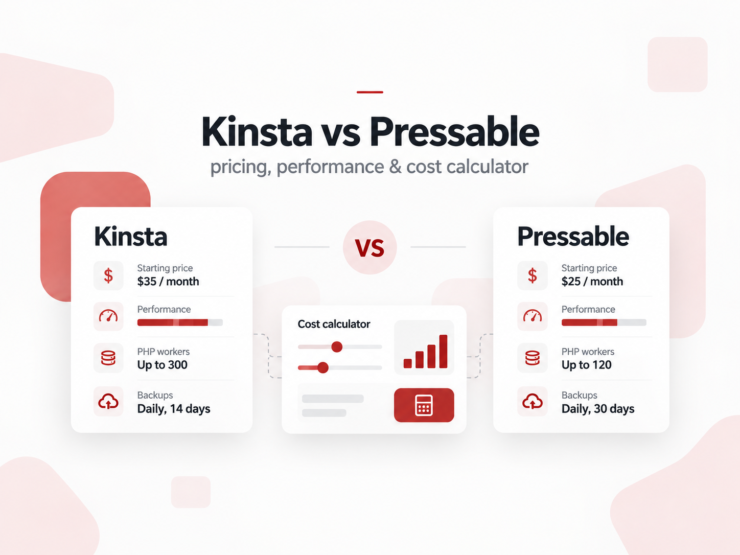
Pressable gives you unusually aggressive multi-site economics and clearly published WordPress resource allocations. Kinsta costs more, but it offers a stronger observability and developer-operations layer. The right choice depends less on generic “speed” claims and more on your workload, site count, traffic profile and operating model.
Contents
Kinsta vs Pressable: The Short Verdict
If the decision is mainly about how much managed WordPress capacity you can buy for a given budget, Pressable is the stronger starting point. Its current Signature plans scale from one to 100 WordPress installs, publish explicit visit and storage allowances, include five dedicated PHP workers per site, and become particularly attractive once you manage five, ten or twenty sites.
If the decision is mainly about operating a development-heavy WordPress application, Kinsta’s higher price can be rational. Built-in Kinsta APM, the Kinsta API, the MyKinsta environment, flexible visit- or bandwidth-based plan models and a broad data-center footprint can reduce engineering and troubleshooting time.
Choose Pressable first if…
- You host several WordPress sites and care about cost per install.
- You want five dedicated PHP workers per site on Signature plans.
- You run WooCommerce or another dynamic WordPress workload.
- You value hourly database backups and daily file backups as standard platform features.
- You want Jetpack Security and professional email included with Signature plans.
Choose Kinsta first if…
- You actively use application performance monitoring to debug PHP, database and external-call bottlenecks.
- Your team needs a mature developer-operations workflow in MyKinsta.
- You want Kinsta’s API for automation and site operations.
- Infrastructure geography or formal compliance requirements are important.
- Hosting cost is small relative to developer time and operational risk.
Kinsta vs Pressable at a Glance
| Factor | Pressable | Kinsta | Why it matters |
|---|---|---|---|
| Entry annual price | $250/year | $350/year | Pressable starts $100/year lower before add-ons or overages. |
| Entry sites | 1 | 1 | No meaningful difference at the install-count level. |
| Entry storage | 20 GB | 10 GB on the Single 35k/20GB-class entry configuration | Media-heavy sites can hit storage before traffic. |
| Entry visit model | 30,000 visits | 35,000 visits on the visit-based entry plan | Useful for approximate demand matching, but visit-counting methodologies can differ. |
| PHP workers | 5 dedicated workers per site on Signature plans | Resource allocation depends on plan architecture; Kinsta does not position the same public worker table as Pressable | Workers affect uncached, logged-in and transactional traffic. |
| Backups | Hourly database + daily filesystem; Jetpack real-time capability included | Daily included; 6-hour or hourly restore points are paid add-ons | Transactional sites can lose orders or user activity after rollback. |
| APM | Health/performance reporting | Built-in Kinsta APM | Kinsta has the clearer application-level debugging advantage. |
| Professional email listed on Signature plans | Not included | Can reduce stack complexity for small client sites. | |
| Automation | Developer tooling/API capabilities vary by offering | Kinsta REST API | Important for agencies building operational automation. |
| High availability positioning | Geo-redundant HA emphasized | Managed WordPress infrastructure with broad origin-location choice | Architecture matters more on business-critical workloads. |
| Best economic fit | Multi-site WordPress portfolios | Development and operations-heavy WordPress stacks | The cheapest plan is not always the cheapest operating model. |
Prices above use standard published list pricing checked October 2, 2026. Promotional first-month offers, tax, custom enterprise pricing, add-ons and overage charges are excluded.
The Real Difference Starts With Resource Economics
Most hosting comparisons begin with synthetic speed tests. For buyers, that is often the wrong first question. Both Kinsta and Pressable are capable managed WordPress platforms. If a site is badly built, either host can still feel slow. If a site is well cached and mostly static, both can look extremely fast in a simple homepage test.
A more useful first question is: What workload can you support at an acceptable operating cost?
Pressable’s current Signature plan ladder
| Plan | Sites | Visits/month | Storage | Annual price | Effective monthly |
|---|---|---|---|---|---|
| Signature 1 | 1 | 30K | 20 GB | $250 | $20.83 |
| Signature 2 | 3 | 50K | 30 GB | $450 | $37.50 |
| Signature 3 | 5 | 75K | 35 GB | $600 | $50.00 |
| Signature 4 | 10 | 150K | 50 GB | $900 | $75.00 |
| Signature 5 | 20 | 400K | 80 GB | $1,550 | $129.17 |
| Signature 6 | 50 | 1M | 200 GB | $3,500 | $291.67 |
| Signature 7 | 80 | 1.6M | 275 GB | $5,450 | $454.17 |
| Signature 8 | 100 | 2M | 325 GB | $6,750 | $562.50 |
Pressable also publishes overage pricing of $1.20 per additional 1,000 visits and $1 per additional GB of storage. For predictable portfolios, however, choosing a plan that fits normal usage is cleaner than designing the budget around routine overages.
Kinsta’s visit-based plan ladder
Kinsta now separates plan selection into bandwidth- and visit-based models. The visit-based plans are the more direct comparison here because Pressable’s Signature plans are expressed in monthly visits.
| Plan | Sites | Visits/month | Storage | Annual price | Monthly list price |
|---|---|---|---|---|---|
| Single 35k | 1 | 35K | 10 GB | $350 | $35 |
| Single 65k | 1 | 65K | 10 GB | $500 | $50 |
| Single 125k | 1 | 125K | 10 GB | $900 | $90 |
| Single 315k | 1 | 315K | 10 GB | $1,700 | $170 |
| Single 500k | 1 | 500K | 15 GB | $2,900 | $290 |
| Single 750k | 1 | 750K | 15 GB | $3,750 | $375 |
| WP 2 | 2 | 70K | 20 GB | $700 | $70 |
| WP 5 | 5 | 125K | 30 GB | $1,150 | $115 |
| WP 10 | 10 | 315K | 40 GB | $2,250 | $225 |
| WP 20 | 20 | 500K | 50 GB | $3,400 | $340 |
| WP 40 | 40 | 750K | 60 GB | $4,500 | $450 |
Why the difference compounds over three years
Hosting decisions are recurring-cost decisions. A $100 annual gap is minor. A $1,000 annual gap across a portfolio is not. For ten sites, current list pricing produces a particularly clear example: Pressable Signature 4 costs $900 per year, while Kinsta WP 10 costs $2,250 per year.
If usage stays within those plan limits and prices do not change, the three-year base-plan difference is $4,050. That creates the correct business question: Can Kinsta’s tooling and operating model save more than $4,050 in developer time, risk, support burden or lost revenue over that period?
For some teams, yes. For a portfolio of simple brochure sites, probably not. That is why workload context is more useful than a generic winner badge.
Performance: What We Can Prove, and What We Cannot
Performance is the easiest section of a hosting comparison to overstate. A provider can be fastest in one cached test and slower in an uncached transaction. A WooCommerce checkout, a logged-in membership request and a cached article page place very different demands on the platform.
Pressable has strong current independent evidence. In Review Signal’s 2026 WordPress Hosting Performance Benchmarks, Pressable earned strong results across multiple test categories. In the 2026 WooCommerce benchmark, Pressable reported perfect uptime across all three monitors, zero LoadStorm errors, the fastest static average in that category at 5.6 ms, and the highest WPBenchmark.io score at 8.3. It also placed in the top three for four of five WooCommerce persona profiles.
Those numbers are meaningful because the tests go beyond a single Lighthouse run. LoadStorm attempts to exercise uncached behavior and user flows, while the WooCommerce personas expose differences between static browsing and dynamic actions.
Why homepage speed is a weak hosting test
A cached homepage can be served from an edge layer with almost no WordPress application work. That is valuable for real users, but it tells you little about the origin’s ability to handle uncached requests. The more transactional your site becomes, the more you should care about:
- Uncached time to first byte.
- p95 and p99 response behavior under sustained load.
- Checkout, cart and account-page latency.
- Database query time.
- Queueing when PHP workers are busy.
- Error rates and throttling under concurrency.
- Performance after cache purges or deploys.
A host that wins a cached homepage test can still lose where revenue is generated.
PHP Workers Matter More Than Most Hosting Comparisons Explain
Pressable’s public specification of five dedicated PHP workers per site on Signature plans is one of the most decision-useful differences in this comparison.
A PHP worker handles a PHP request. While a worker is busy, another dynamic request may need another available worker or wait. Cached requests often bypass much of this work, which is why a content site with excellent cache hit rates can support large traffic volumes without stressing PHP in the same way as a checkout-heavy store.
Dynamic examples include:
- WooCommerce cart and checkout actions.
- Logged-in account pages.
- Membership and LMS interactions.
- WordPress admin requests.
- Form processing.
- Personalized search.
- Plugin-driven AJAX or REST requests.
Pressable states that Signature sites receive five dedicated workers with 512 MB per worker, plus short-burst capacity from a shared pool. Its September 2026 documentation describes Signature plans as appropriate for predictable day-to-day traffic and recommends Premium for sustained high concurrency or business-critical workloads.
That distinction matters because “five workers plus burst” is not the same thing as infinite sustained capacity. A store can still outgrow a Signature plan if the uncached workload is heavy enough.
Backups: Pressable Has the More Generous Default Recovery Model
Backup frequency is not just a checkbox. It determines your maximum data-loss window when something fails.
Pressable’s documentation states that site files are backed up daily and databases are backed up hourly when changes are detected. The platform keeps these backups for at least 30 days. Jetpack Security is also included, and Pressable points users to Jetpack when real-time backup behavior is required.
Kinsta includes automatic daily backups. More frequent Kinsta restore points are paid add-ons: six-hour backups currently cost $20 per site per month, while hourly backups cost $100 per site per month. Those hourly restore points are retained for 24 hours in addition to the normal daily backups.
Why that difference is much bigger for WooCommerce
Imagine a store taking 20 orders per hour. Restoring a daily backup could create a reconciliation problem involving orders, stock changes, account activity and payment records. The operational cost of recovery can dwarf the hosting bill.
For a mostly static company website, hourly database backups may have limited economic value. For ecommerce, membership and booking workloads, backup frequency belongs in the core purchasing decision.
Kinsta vs Pressable for WooCommerce
WooCommerce is where the comparison becomes more interesting because cacheable pageviews stop being the whole story.
Pressable has three concrete strengths for this use case:
- Published PHP worker allocation. Five dedicated workers per site on Signature plans provide a clear baseline for dynamic requests.
- Frequent database protection. Hourly database backups reduce the recovery window for transactional data.
- Current independent WooCommerce benchmark evidence. Review Signal’s 2026 testing showed strong dynamic and static performance.
Kinsta’s strongest counterargument is observability. Kinsta APM can surface slow PHP transactions, database queries and external calls. If a store becomes slow because a payment plugin is waiting on an external API or because one query is pathological, identifying the cause quickly can matter more than paying less for the hosting plan.
Practical WooCommerce decision
Start with Pressable when the store is relatively conventional and the objective is strong managed WordPress capacity per dollar.
Start with Kinsta when the store is a development-heavy application and your team expects to use application-level diagnostics routinely.
For a mission-critical high-concurrency store, compare Pressable Premium and the appropriate higher-tier Kinsta configuration rather than extrapolating from entry plans.
Kinsta vs Pressable for Agencies
Agencies should evaluate hosting as a portfolio P&L problem rather than a one-site hosting problem.
Pressable’s current plan ladder is built in a way that makes this easy to model. Five sites cost $600 per year on Signature 3, ten cost $900 on Signature 4, and twenty cost $1,550 on Signature 5, assuming the corresponding visit and storage limits also fit the portfolio.
Kinsta’s current annual prices for the comparable install-count tiers are $1,150 for WP 5, $2,250 for WP 10 and $3,400 for WP 20.
| Portfolio size | Pressable annual plan | Kinsta annual plan | Base-price difference |
|---|---|---|---|
| 5 sites | $600 | $1,150 | $550/year |
| 10 sites | $900 | $2,250 | $1,350/year |
| 20 sites | $1,550 | $3,400 | $1,850/year |
The caveat is important: install count alone does not establish equivalence. A ten-site agency with 120,000 visits and 35 GB of storage is a different problem from a ten-site agency with 500,000 visits, large media libraries and multiple ecommerce sites.
Where Kinsta can still win the agency business case
An agency can rationally pay a higher hosting bill if the platform reduces labor. MyKinsta, APM, API access, site operations and workflow consistency can be valuable if engineers or account teams touch hosting every day.
The correct formula is not:
Hosting cost per site.
It is:
Hosting cost + support labor + developer labor + incident cost + tooling cost + migration friction.
Pressable has the stronger visible base-price economics. Kinsta has to win by lowering one or more of the other terms.
Kinsta Has the Clearer Developer-Operations Advantage
Kinsta’s built-in APM is a meaningful differentiator because it changes the troubleshooting workflow. Instead of knowing only that a WordPress request is slow, developers can inspect slow transactions, database activity and external calls inside the hosting environment.
Kinsta also exposes a REST API for tasks such as retrieving site information, clearing cache and restarting PHP. For teams building internal automation, this can turn repetitive hosting operations into scripted workflows.
Why APM can justify a higher hosting price
Assume a developer costs $60 per hour and a recurring performance issue consumes four hours each month across diagnosis, reproduction and support communication. That is $2,880 per year in labor.
If better observability cuts that burden materially, a hosting plan that costs $1,000 more annually can still be cheaper at the system level.
That is the right way to think about Kinsta’s premium: not as an abstract “premium host” surcharge, but as a potential reduction in operating friction.
Infrastructure: Origin Location, Edge Caching and High Availability
Kinsta emphasizes a broad choice of WordPress data-center locations together with its CDN and edge delivery stack. Pressable emphasizes a geo-redundant high-availability architecture on WP Cloud.
For cached pages, edge delivery reduces the importance of the physical origin location because the response can be served closer to the visitor. For dynamic requests, origin and application behavior still matter.
Examples include:
- Checkout and cart requests.
- Logged-in sessions.
- WP Admin.
- Search and filtered catalog queries.
- Membership content.
- API-driven personalization.
If most of your users and operational team are concentrated in one region, Kinsta’s location flexibility can be valuable. If your priority is a WordPress-specific high-availability model with automated failover positioning, Pressable’s architecture deserves close attention.
Security and Compliance
Both providers position security as part of the managed platform rather than leaving customers to assemble every layer themselves.
Pressable lists Jetpack Security with Signature plans alongside platform security, malware monitoring and threat-response features. Kinsta uses Cloudflare-backed protection and highlights managed security controls as part of its hosting stack.
The decision changes for organizations with formal procurement requirements. Kinsta publishes compliance credentials including SOC 2 Type II and ISO 27001. If your vendor-security review requires specific certifications, that can outweigh a simple hosting-price comparison.
Support Quality Is Hard to Compare From Marketing Claims
Both companies advertise 24/7 expert support. Pressable currently highlights an approximately four-minute average first-response time on its pricing page. That is useful operational information, but response time is not the same thing as resolution quality.
A meaningful support comparison should test the same real problem on both platforms and record:
- Time to first human response.
- Time to first technically useful response.
- Number of handoffs.
- Whether the agent understood WordPress-specific context.
- Whether the issue was resolved without escalation.
- Whether the root cause was explained.
Until that controlled test is performed, it is more credible to compare support scope and published service commitments than to declare a winner based on anecdotes.
Email Hosting: A Small Feature With Different Operational Philosophies
Pressable lists professional email as included on its Signature plans. Kinsta does not provide email hosting and recommends using a dedicated email service.
Neither philosophy is inherently wrong.
For small-business client sites, bundling email can reduce vendor count and simplify billing. For organizations already using Google Workspace or Microsoft 365, included host-level email may have almost no value. Dedicated email infrastructure can also provide cleaner separation between website availability and mail delivery.
Assign this feature a monetary value only if you would otherwise pay for a separate service.
Migration: Test Before You Move Production
Both companies promote free migration assistance. A migration offer is useful, but the important part is what happens after the files arrive.
Before changing hosts, clone the site and run a controlled acceptance test:
- Verify DNS and SSL behavior.
- Compare uncached and cached response times.
- Test login, forms, search and scheduled jobs.
- For WooCommerce, test cart, checkout, payment callbacks and transactional email.
- Confirm cron jobs and third-party webhooks.
- Restore a backup in staging to verify the recovery workflow.
- Check media paths and large-file behavior.
- Review PHP errors and slow application requests.
- Only then schedule DNS cutover.
Migration quality is not just whether the homepage loads. The goal is to preserve application behavior under the new platform.
Decision Framework: Which Host Fits Which Workload?
| Scenario | Better starting point | Reason |
|---|---|---|
| One normal company WordPress site | Pressable | Lower annual entry cost and generous included WordPress resources. |
| 5–20 client sites | Pressable | Multi-site plan economics are substantially stronger at current list prices. |
| WooCommerce store | Pressable first | Explicit PHP workers, frequent DB backups and strong current WooCommerce benchmark evidence. |
| Complex custom WordPress application | Kinsta first | APM and developer-operations tooling become more valuable as application complexity rises. |
| Agency building hosting automation | Kinsta deserves closer evaluation | Kinsta API and operational tooling can offset higher base cost when automation is used heavily. |
| Portfolio where hosting margin matters | Pressable | Lower base plan cost can materially improve gross margin. |
| Formal enterprise security procurement | Kinsta deserves closer evaluation | Published compliance credentials may matter more than unit economics. |
| High-concurrency mission-critical site | Compare upper tiers directly | Entry-plan conclusions should not be extrapolated to enterprise workloads. |
A simple economic rule
Pressable wins when your dominant constraint is hosting capacity per dollar.
Kinsta becomes more competitive when your dominant constraint is engineering and operational time.
The more static and repeatable your portfolio is, the more important unit economics become. The more custom and operationally complex the application is, the more valuable observability and tooling become.
What I Would Test Before Choosing Either Host
A useful hosting test should reproduce the workload that makes your site money or creates operational pain. I would not choose between these providers based only on a homepage PageSpeed score.
That dataset would create a genuine Kinsta vs Pressable performance conclusion. Until then, current independent evidence supports saying Pressable performs very well, not that it universally defeats Kinsta.
How This Comparison Was Researched
This article separates three kinds of evidence because mixing them produces bad hosting reviews:
- Current first-party facts: pricing, plan limits, PHP worker claims, backup policies, product features and add-on costs were checked against Kinsta and Pressable documentation.
- Independent performance evidence: current Pressable benchmark findings are taken from Review Signal’s WordPress Hosting Performance Benchmarks.
- Editorial analysis: recommendations by use case are based on how those verified constraints affect different WordPress workloads.
No fabricated head-to-head speed numbers are used. Where the available evidence cannot support an apples-to-apples conclusion, the article says so explicitly.
Last fact check: October 2, 2026.
Frequently Asked Questions
Is Pressable cheaper than Kinsta?
At current 2026 list prices, Pressable is cheaper in the one-site and common multi-site examples covered here. A one-site Pressable Signature 1 plan is $250 annually, while Kinsta’s entry visit-based single-site plan is $350 annually. The gap becomes larger at five, ten and twenty sites. The products are not identical, so total value depends on workload and tooling.
Is Pressable faster than Kinsta?
Current independent evidence shows excellent Pressable performance, including strong 2026 WooCommerce benchmark results. There is not enough equivalent 2026 head-to-head evidence to claim that Pressable is universally faster than Kinsta across comparable configurations.
Which is better for WooCommerce?
Pressable is a strong first candidate because Signature plans publish five dedicated PHP workers per site, include hourly database backups and performed well in current independent WooCommerce testing. Kinsta can be preferable for development-heavy stores where built-in APM and troubleshooting workflow create substantial operational value.
Which is better for agencies?
Pressable currently has much lower base plan pricing for many five- to twenty-site portfolios. Kinsta can justify higher pricing when the agency actively benefits from MyKinsta, APM, API automation, infrastructure options or compliance requirements.
Does Kinsta include hourly backups?
Kinsta includes automatic daily backups. Six-hour backups currently cost $20 per site per month and hourly backups cost $100 per site per month as add-ons.
Does Pressable include hourly backups?
Pressable documents hourly database backups and daily filesystem backups. It also includes Jetpack Security, which Pressable points to for real-time backup capability.
Does Kinsta include email hosting?
No. Kinsta recommends using a dedicated email provider rather than bundling email hosting with its WordPress platform.
Does Pressable include email?
Pressable currently lists professional email among the included Signature plan features.
Can I compare Kinsta and Pressable only by monthly visits?
No. Site count, storage, dynamic PHP workload, CDN and bandwidth behavior, backup requirements, operational tooling and overage rules can all become the limiting factor before headline visit allowances do.
Final Take
Pressable is the more compelling value proposition for many conventional WordPress and multi-site workloads in 2026. Its pricing scales efficiently across portfolios, it publishes clear WordPress-specific resource allocations, and current independent testing gives buyers credible performance evidence.
Kinsta’s case is different. It becomes more persuasive as the cost of engineering time, debugging and operational complexity rises. Built-in APM, API-driven operations, MyKinsta workflows, infrastructure choice and compliance capabilities can be worth much more than the difference in the hosting invoice.
If I were hosting ten mostly standard client sites, I would evaluate Pressable first. If I were running a custom, revenue-critical WordPress application with developers actively diagnosing PHP and database behavior, I would put Kinsta much closer to the top of the shortlist.
The smartest final step is not to trust either provider’s marketing or any review’s generic speed score. Clone your own site, test the workload that matters, calculate the three-year operating cost, and choose the platform that removes your actual bottleneck.

@nislija
Latest posts by Ivan Muljevski (see all)
- Kinsta vs Pressable (2026): Which Managed WordPress Host Makes More Sense? - October 2, 2026
- Best scheduling tools with payment integration compared - September 28, 2026
- Best AI Tools for Google Ads Management in 2026: Complete Guide, Comparison & Decision Framework - September 8, 2026